App Analytics
App analytics implementation
Plan app analytics around useful outcomes, define event contracts, check releases and account for offline delivery and privacy.
Decide which product questions the data must answer. Define events for observable app states, then check those events with each release.
Start with a measurement brief
Choose a small set of questions the team will use. For a hypothetical booking app, ask whether eligible people can find an available time, confirm a booking, and return to manage it. Record the eligible audience, successful state and observation window for each question.
Keep the source of each answer clear. A store download, first app launch and confirmed booking occur at different points.
Google Analytics for Firebase automatically logs some events. Other data can be logged by the app, including recommended events. A task-specific outcome may need a custom event. An event name in a report does not prove that it fires at the right moment.
Turn the brief into an event contract
For every event, record its name, trigger, owner, required properties, permitted values and repeat rule. A booking_confirmed event, for example, should mean confirmation succeeded, not that someone tapped a button. Decide whether the app logs that result after receiving confirmation or an authoritative service records it. If both report the outcome, define how duplicates are identified.
Use properties to explain an event, not to copy the customer record. A broad service-area category may help assess availability; a full address or free-text booking note usually does not belong in analytics. Keep names and meanings consistent across iOS, Android and app versions. Document a change in meaning before joining old and new counts.
The event taxonomy holds the detailed naming and property rules. The implementation brief establishes which outcomes the product, engineering and reporting teams need to measure.
Google Analytics logs some events automatically. For all other data, an app can log up to 500 distinct Analytics event names; there is no limit on total event volume. Event names are case-sensitive, so two names differing only in case are logged as separate events.
Key analytics limits and guidelines (Australia)
- Event volume
- No limit on total event volume
- Case sensitivity
- Event names are case-sensitive (e.g., 'booking_confirmed' ≠ 'Booking_Confirmed')
- Privacy regulation
- Compliance with Australian Privacy Principles (APPs) under Privacy Act 1988
Register custom parameters for reporting
Custom parameters can become dimensions or metrics in Analytics reports, but only after registration. In Google Analytics, go to Analytics, then Events, then Manage custom definitions, and create a custom dimension or metric. Use custom dimensions for non-numeric data; use custom metrics for numeric data such as revenue, distance, time or score.
Custom parameters are available for audience definitions. If the app is linked to a BigQuery project, custom parameters are included in the data exported to BigQuery. Default event parameters set with setDefaultEventParameters apply to all future events and also require registration.
Custom dimensions vs. custom metrics in Google Analytics
- Use case
- Non-numeric data (e.g., service area, device type)
- Example
- Booking type: 'standard', 'premium', 'express'
- Use case
- Numeric data (e.g., revenue, time, distance)
Plan for identity, timing and incomplete delivery
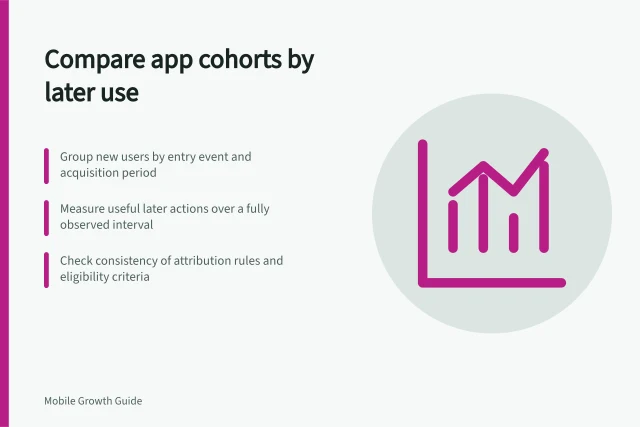
State whether a report counts accounts, devices, app instances or event occurrences. One person can use more than one device, and a reinstall can create another app instance. Use only identity links the product can support and is permitted to collect. Record event time, reporting time zone and cohort window where they affect an analysis.
Define what happens without a connection. Delivery behaviour can depend on the analytics SDK and its configuration, so check the relevant current platform documentation and avoid assuming that every event will be delivered.
An analytics event should not be the sole evidence that an important product task was completed. Maintain a reliable product record for important outcomes.
Verify the implementation before release
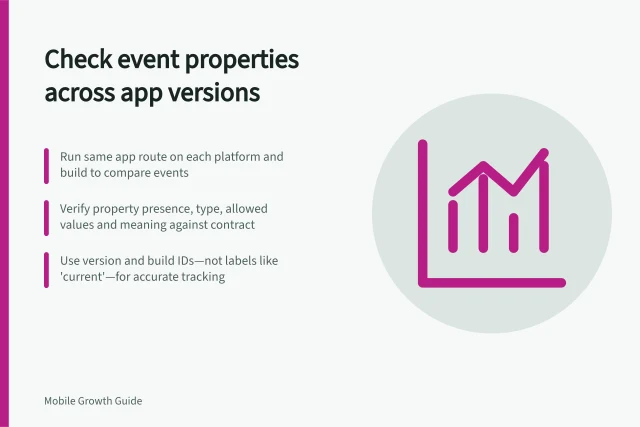
Build a check plan from the event contract. Exercise successful, failed, repeated and interrupted routes on each supported platform. Compare events and properties with the actual app state. Firebase DebugView can display development-device events near real time, but it cannot establish production coverage or report completeness.
| Release check | Question to answer |
|---|---|
| Trigger | Did the event fire only when the defined state occurred? |
| Properties | Were required values present, correctly typed and free of customer content? |
| Version coverage | Did supported builds retain the agreed meaning? |
| Offline path | What appeared after reconnection, and what remained unobserved? |
| Reporting | Is a needed custom parameter available in the intended report? |
Debug mode uploads events with minimal delay instead of the usual batch of about one hour. On iOS, add -FIRDebugEnabled to the scheme's arguments passed on launch; disable with -FIRDebugDisabled. On Android, run adb shell setprop debug.firebase.analytics.app PACKAGE_NAME; disable with .none.
DebugView shows the last 60 seconds in the Seconds stream and a 30-minute archive in the Minutes stream. A Top Events table lists the most logged events, and Current User Properties shows the selected device's latest values. Use the device selector to focus on one development device.
Using Firebase DebugView for testing analytics events
- ProsReal-time visibility of events on development devices; useful for debugging
- ConsDoes not verify production coverage or completeness; limited to last 60 seconds (Seconds stream) and 30 minutes (Minutes stream)
Maintain the contract
Assign an owner to each event. Review the contract when a feature, route or confirmation state changes, and record the version in which a property appeared, changed or disappeared. Investigate missing values and unexpected counts against the relevant release and user path before describing a shift in behaviour.
For an Australian app, include a privacy review of analytics data collection and handling. The Australian Privacy Principles apply to organisations and agencies covered by the Privacy Act 1988.
Keep the measurement brief, event contract, release check record and known gaps together so later reports can be interpreted under the right definitions.
The Australian Privacy Principles are 13 principles under the Privacy Act 1988. They govern collection, use and disclosure of personal information, governance and accountability, integrity and correction, and individuals' access rights. They are principles-based and technology neutral. A breach is an 'interference with the privacy of an individual' and can lead to regulatory action and penalties.
In this guide
- Defining a consistent mobile event taxonomyDefine app events by observable states, controlled properties, ownership and change rules so teams can interpret them consistently.
- Checking event properties across app versionsUse a release matrix to check event properties for presence, type, permitted values and meaning across iOS, Android and older builds.
- Testing offline event deliveryPlan offline app event checks from task completion through reconnection and reporting, with clear treatment of late or duplicate events.
- Keeping sensitive information out of app analyticsAudit app analytics fields and SDK collection, minimise personal details and check events before sensitive data reaches reports.