App Store Listings
Mobile acquisition campaigns
A mobile acquisition campaign should bring people who can use the app and reach its first meaningful outcome.
A mobile acquisition campaign should bring people who can use the app and reach its first meaningful outcome. An install is an entry point, not proof of value.
Define the user action that matters before choosing a channel or optimising a bid. Record it as an in-app event and confirm it arrives in analytics before using it to assess campaign performance; Google Analytics 4 recommended and custom events may need manual setup.
Start with the app’s real job. A local booking app might need a completed eligible booking; a budgeting app might need a linked account and first budget. These are illustrative definitions, not universal events.
Map the path from ad to store listing, first open, permission requests, sign-up and activation. This makes the steps between campaign response and the meaningful outcome visible.
From ad to activation: the path to track
- Ad to store listing
- First open
- Permission requests
- Sign-up
- Activation (first meaningful outcome)
Build a portfolio of acquisition activity
Treat acquisition as a combination of paid, owned and earned activity rather than relying on advertising alone. A portfolio may combine app-install advertising with organic discovery, direct communication and user referrals.
Paid activity can sit alongside owned routes such as a mobile website, email and social media. Referrals from existing users add an earned route to the portfolio.
Mobile SEO can help bring people from search engines to a mobile website. Smart banners can direct mobile web visitors to an app, providing a web-to-app route alongside campaign activity.
Paid, owned and earned acquisition routes
- Paid
- App-install advertising, Apple Search Ads, Meta, TikTok, Amazon, Google App campaigns
- Owned
- Mobile website, email, social media, smart banners for web-to-app
- Earned
- User referrals and referral programs
Prepare app store discovery
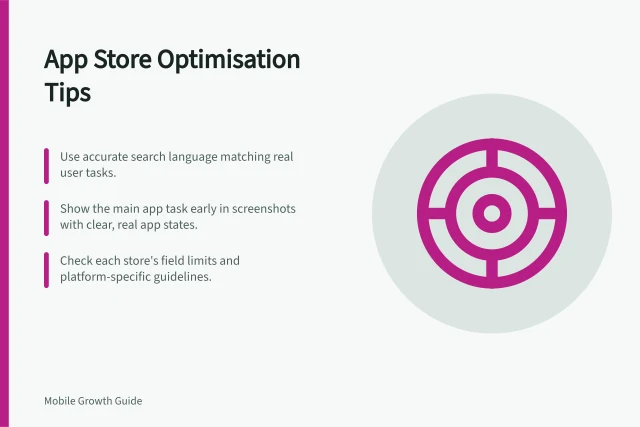
App store optimisation is part of acquisition planning because store visibility affects the opportunity to earn downloads. For listings on the Apple App Store and Google Play, work on keyword use, visuals, reviews and distinctive branding.
Higher rankings in app store search results mean better chances of downloads. Prepare these listing elements before campaigns direct people to the stores.
App store discovery preparation
- Use relevant keywords in the listing
- Prepare strong visuals
- Build and manage reviews
- Maintain distinctive branding
Include direct and referral routes
Use email and social media to direct interested audiences to the app’s store listing or mobile website. A referral program gives existing users a way to invite others.
Offline activity can support a digital acquisition plan. QR codes provide a link between offline and online activity.
Set up paid app promotion
Google App campaigns are one paid option for promoting an app across Google Search, Google Play, YouTube and Gmail. They can sit alongside other acquisition activity.
Paid app promotion can also use Apple Search Ads, Meta, TikTok and Amazon. These options can form part of the wider acquisition portfolio.
Before launch, confirm the campaign objective, configure conversion tracking for the selected in-app event, and prepare the store listing and campaign assets. Set bidding and budget in line with the objective, and check that the event is being recorded before relying on it for campaign reporting.
For iOS, include ATT, SKAdNetwork 4.0 and AdAttributionKit in measurement planning. Firebase can support conversion tracking for Google App campaigns, while GA4 recommended and custom events need manual configuration with their required and optional parameters.
Paid app campaign launch readiness
- Confirm the campaign objective
- Configure conversion tracking for the selected in-app event
- Prepare the store listing and campaign assets
- Set bidding and budget in line with the objective
- Verify the event is recorded before relying on it for reporting
- Include ATT, SKAdNetwork 4.0 and AdAttributionKit for iOS measurement
- Use Firebase for Google App campaign conversion tracking and manually configure GA4 recommended or custom events
Match channel to behaviour
For deeper guidance, see channel choice by behaviour, ad-to-app fit (including feature availability for each audience and device), acquisition cost per activated user, and avoiding low-value installs; an unavailable feature can waste spend despite strong install rates. Check store, operating-system and regional eligibility before scaling.
Before scaling: match channel to behaviour
- Match the channel to user behaviour
- Check feature availability by audience and device
- Measure acquisition cost per activated user
- Avoid low-value installs
- Check store, operating system and regional eligibility before scaling
In this guide
- Choosing app advertising channels by target user behaviourChoose an app advertising channel from the user's discovery behaviour, not its reputation for cheap installs.
- Matching an install ad with the real app experienceAn install ad should preview what the new user can actually do.
- Measuring acquisition cost per activated userCost per activated user is campaign spend divided by the number of acquired users who complete a defined first-value action within a chosen window.
- Avoiding optimisation toward low-value installsAn install-only optimisation target can reward ads that generate curiosity rather than useful app use.